
Every single day, thousands of amazing videos are posted on Twitter (now known as X). You see something hilarious that makes you laugh out loud, an inspiring speech that moves you, or a tutorial that teaches you something new. You want to keep it, save it, and watch it again later. But here’s the problem: Twitter doesn’t give you a simple built-in download button. You scroll past, and that video might disappear forever from your feed, lost among countless other tweets.
This is exactly why so many people struggle with saving content from Twitter. The platform wasn’t designed with easy downloading in mind, leaving millions of users frustrated and searching for solutions.
This is where TWMate comes in. TWMate is a free, simple, and reliable online video downloader that allows you to download Twitter videos, reels, GIFs, and other media content without requiring any registration or technical knowledge. Whether you want to save a funny meme video, a tutorial, or an important message, TWMate makes the process incredibly easy.
In this comprehensive guide, we will explore everything you need to know about downloading videos from Twitter using TWMate. We will walk you through the process, explain the benefits, address common questions, and provide you with helpful tips to enhance your downloading experience.
What is TWMate and How Does It Work?
TWMate is a web-based platform designed specifically for users who want to download media content from Twitter (X). Unlike many other downloading tools that require you to install software, create accounts, or provide personal information, TWMate offers a completely free and straightforward solution.
The platform works by taking the link of any Twitter video you want to download and converting it into a downloadable file format. The entire process takes just a few seconds, and you can download videos in various quality options depending on your needs and internet speed.
TWMate supports not only videos but also GIFs, images, and other media formats available on Twitter. This makes it a comprehensive tool for anyone who wants to preserve their favorite Twitter content offline.
Why You Might Need a Twitter Video Downloader
There are several legitimate reasons why you might want to download videos from Twitter:
Save Memorable Content: Some tweets go viral and then disappear from your feed. If you find a video that resonates with you or contains important information, downloading it ensures you can access it anytime without worrying about the original tweet being deleted.
Create Compilations and Mashups: Content creators often need to gather videos from various sources to create compilations, educational materials, or entertainment montages. Having downloadable videos makes this process much easier.
Offline Access: Not everyone has consistent internet access. Downloading videos allows you to watch them later when you’re in an area with poor connectivity or when you want to preserve data.
Share with Others: Sometimes you want to share a Twitter video with friends or family who might not be on the platform. Having a downloaded copy allows you to share it through email, messaging apps, or other channels.
Preserve Important Information: If a video contains critical information from a public figure, expert, or authority, downloading it ensures you have a permanent record that cannot be deleted.
Educational and Research Purposes: Students and researchers might need to download videos for projects, presentations, or studies.
How to Download Twitter Videos Using TWMate
Downloading videos from Twitter using TWMate is incredibly simple. Follow these easy steps:
Step 1: Find and Copy the Tweet Link: Open Twitter on your web browser or app and locate the video you want to download. Right-click on the tweet and select “Copy link to Tweet,” or tap the share icon and choose “Copy link.”
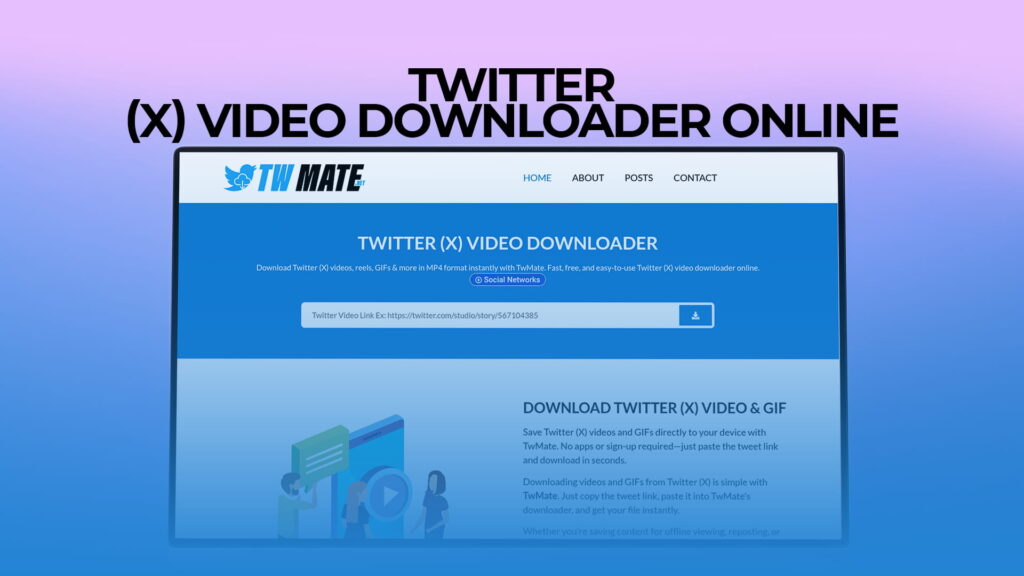
Step 2: Visit TWMate: Open your web browser and navigate to TWMate’s website. The homepage features a clean and user-friendly interface with a text input box prominently displayed.
Step 3: Paste the Twitter Link: Click on the input field and paste the Twitter video link you copied earlier. Make sure the entire URL is pasted correctly.
Step 4: Click the Download Button: Press the download button, and TWMate will process the video within seconds. The platform analyzes the link and identifies the media content available.
Step 5: Choose Your Preferred Quality: You’ll see different quality options available for download. Select the quality that best suits your needs. Higher quality files will be larger in size but will provide better video clarity.
Step 6: Download the File: Click the download button next to your chosen quality option. The video will be saved to your device’s default downloads folder.
Step 7: Enjoy Your Video: Once the download is complete, you can open, watch, share, or edit the video as you wish.
The entire process typically takes less than one minute, making it incredibly convenient for anyone who wants quick access to Twitter videos.
Key Features of TWMate
Completely Free: Unlike some competitors that charge subscription fees or offer limited free downloads, TWMate provides unlimited video downloads at absolutely no cost.
No Registration Required: You don’t need to create an account, provide your email address, or go through any verification process. Simply visit the site and start downloading immediately.
Multiple Format Support: TWMate supports videos, GIFs, images, and other media types available on Twitter. This versatility makes it useful for various downloading needs.
High-Quality Downloads: The platform preserves the original quality of the video, allowing you to download in high definition when available. You can choose from multiple quality options.
Fast and Reliable: TWMate uses fast servers to ensure your downloads are completed quickly without interruptions or errors.
Secure and Safe: The platform does not store your personal data, does not require sensitive information, and operates safely without malware or security risks.
User-Friendly Interface: The website is designed to be simple and intuitive, making it easy for anyone to use, regardless of their technical expertise.
Mobile Friendly: TWMate works perfectly on mobile devices, tablets, and computers, allowing you to download videos from anywhere, anytime.
No Software Installation: Since TWMate is web-based, you don’t need to download or install any software on your device.
Instant Results: Videos are processed and ready for download within seconds, not minutes or hours.
Understanding Twitter Video Formats and Quality Options
When you download a Twitter video using TWMate, you might notice different quality options available. Understanding these options helps you choose the best format for your specific needs.
High Definition (HD) Videos: These videos offer the best visual quality with a clear picture and vibrant colors. HD videos are ideal if you plan to watch the content on a large screen or use it for professional purposes.
Standard Definition (SD) Videos: These videos offer acceptable quality at a smaller file size. They are perfect if you want to save storage space or have a slower internet connection.
Low Resolution Videos: These videos have the smallest file size and download fastest. Choose this option if you have limited storage space or a very slow internet connection.
GIF Format: Some Twitter videos are actually GIFs, which are animated images. TWMate allows you to download these in their original format.
Each quality option is clearly labeled, so you know exactly what you’re getting before you click download. The file size is also displayed, helping you make an informed decision based on your device’s storage capacity.
Common Misconceptions About Video Downloading
Many people have concerns about downloading videos from the internet. Let’s address some common misconceptions:
Myth: Downloading Videos is Illegal: This is not entirely true. Downloading copyrighted content for commercial purposes without permission is illegal. However, downloading for personal, non-commercial use is generally allowed. TWMate provides a tool for downloading, and how you use that tool is your responsibility.
Myth: Video Downloaders are Full of Viruses: While some suspicious websites do contain malware, legitimate downloaders like TWMate are safe to use. They do not require software installation and do not collect personal data.
Myth: Downloaded Videos Will Be Low Quality: TWMate preserves the original quality of videos. The quality you download is the same quality at which the video was originally posted.
Myth: You Need Special Technical Skills: Downloading videos is extremely simple and requires no technical knowledge whatsoever. Anyone can do it in less than a minute.
Tips and Tricks for Better Downloads
Download During Off-Peak Hours: If you’re downloading many videos at once, consider doing it during times when internet traffic is lower to ensure faster speeds.
Check Your Storage Space: Before downloading multiple high-definition videos, make sure your device has enough storage space available.
Organize Your Downloads: Create a folder on your device specifically for downloaded Twitter videos so they’re easy to find later.
Use Descriptive Filenames: When the video is saved, consider renaming it with a descriptive title so you remember what it contains.
Respect Copyright: Only download videos for personal use. Don’t re-upload copyrighted content to other platforms without permission.
Keep Your Browser Updated: Make sure your web browser is up-to-date for the best compatibility with TWMate.
Clear Your Browser Cache: Occasionally, clearing your browser cache can help ensure faster downloads and better performance.
Comparison with Other Video Download Methods
There are several ways to download videos from Twitter. Let’s compare them:
Using TWMate This is the fastest and easiest method. No registration, no software, completely free, and results in seconds.
Using Desktop Software Some software programs allow video downloading, but they require installation, take up storage space, and may have compatibility issues.
Using Browser Extensions Some browser extensions can download videos, but they require installation and may slow down your browser.
Using Built-in Browser Features Some modern browsers have built-in features, but they’re limited and don’t work for all types of content.
Using Other Online Tools Other websites offer similar services, but many are cluttered with ads, require registration, or have slower speeds.
TWMate stands out as the most convenient option, combining speed, simplicity, and reliability.
Best Practices for Using Video Downloaders Responsibly
Respect Copyright and Intellectual Property: Always remember that the videos you download belong to their creators. Download videos for personal use only and do not re-post them on other platforms without permission.
Follow Platform Terms of Service: While downloading for personal use is generally acceptable, be aware of Twitter’s terms of service regarding content sharing and distribution.
Give Credit to Original Creators: If you share a downloaded video, always credit the original creator whenever possible.
Use Downloaded Content Privately: Keep downloaded videos for your personal collection and offline viewing rather than for commercial purposes.
Be Mindful of Data Privacy: Ensure your device is secure before downloading any content.
Yes, TWMate is completely safe to use. The platform does not require any personal information, is malware-free, and does not store your data. It simply acts as a bridge between you and the Twitter content you want to download. Millions of people worldwide have used the tool and maintains a strong reputation for security and reliability. You can use TWMate with confidence without worrying about viruses, data theft, or any security issues.
No, registration is not necessary. This is one of the biggest advantages of TWMate. Simply visit the website, paste your Twitter video link, and download. The entire process takes less than a minute, and no personal information is required. You can download unlimited videos without creating any account or providing any details.
TWMate supports a wide range of media content from Twitter, including videos, reels, GIFs, and animated content. Whether it’s a short funny clip, an educational video, a tutorial, or any other video content posted on Twitter, TWMate can help you download it. The tool is versatile and works with almost all video formats found on the platform.
No, the downloaded video will be exactly as it appears on Twitter. TWMate does not add watermarks, does not alter the content, and does not compress the video in ways that would affect quality. You get the original content in its original form, preserving the creator’s work as intended.
Yes, TWMate offers multiple quality options. High-definition videos will provide the best picture quality but will take up more storage space, typically ranging from 5 MB to 50 MB depending on the video length. Standard definition videos are much smaller, usually between 2 MB to 15 MB. You can choose the quality based on your preferences and available storage space. The file size is displayed before download, so you know exactly how much space the video will occupy.
Conclusion
TWMate has revolutionized the way people download content from Twitter (now X). With its simple interface, fast processing, and completely free service, it has become the go-to solution for millions of users worldwide who want to save their favorite Twitter videos offline.
Whether you want to download funny memes, educational content, important announcements, or any other video material from Twitter, TWMate makes the process straightforward. The tool requires no technical knowledge, no registration, and no software installation, making it accessible to everyone regardless of their technical background.
By following the simple steps outlined in this guide, you can start downloading Twitter videos within minutes. Remember to use the tool responsibly, respect creators’ rights, and enjoy your downloaded content offline.
For anyone looking for a reliable, fast, and free Twitter video downloader, TWMate stands out as the best option available today. Try it now and experience the convenience of downloading your favorite Twitter content in seconds.