
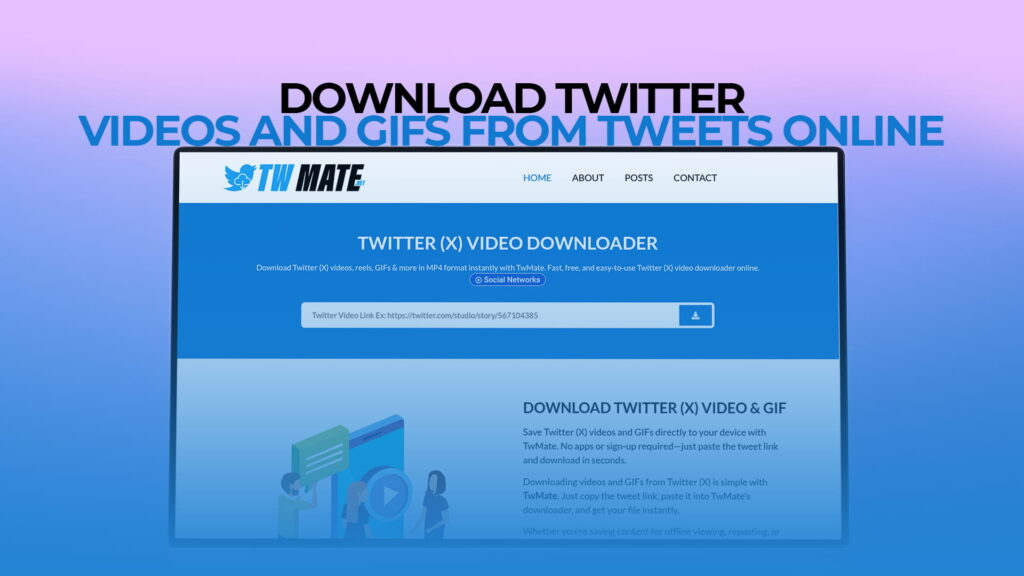
Social media has changed the way we consume content. Every single day, millions of videos, GIFs, and Reels are shared on Twitter (now officially rebranded as X). These clips range from breaking news and sports highlights to funny moments, educational content, and creative short films. You see something amazing, you want to keep it — but Twitter does not give you a built-in download button. That is the frustrating reality most users face.
That is exactly why TWMate exists. TWMate is a completely free online tool that lets you download Twitter videos, GIFs, Reels, and more — directly from any tweet — without needing to create an account, install software, or pay a single rupee or dollar. It is fast, simple, and works right in your browser.
In this in-depth guide, we will walk you through everything you need to know about downloading Twitter videos online, why people do it, how TWMate works, what makes it stand out from other tools, and how to use it step by step.
Why People Want to Download Twitter Videos
Before diving into the how-to, it helps to understand the why. Why do millions of people around the world search for Twitter video downloaders every single day?
1. Offline Viewing
Internet access is not always reliable. Whether you are traveling, living in an area with unstable connectivity, or simply want to save your mobile data, having a video saved locally on your phone or computer is incredibly useful. You can watch it anytime, anywhere — even without Wi-Fi or mobile data.
2. Content Preservation
Tweets get deleted. Accounts get suspended. Viral videos disappear without warning. If you come across a video that matters to you — maybe it contains important information, a historical moment, or a memory you want to keep — downloading it is the only way to make sure you always have access to it.
3. Sharing Across Platforms
Twitter is not the only platform people use. Many creators and regular users want to share Twitter content on WhatsApp, Telegram, Instagram, Facebook, or even email. Since these platforms do not allow you to directly share a Twitter link in a playable format, downloading the video first and then sharing it becomes necessary.
4. Creating Educational or Reference Material
Teachers, journalists, researchers, and content creators often use video clips as references or teaching material. A news clip, a public statement, or an educational thread in video form may need to be saved and used in presentations, reports, or explainer videos.
5. Building Content Libraries
Social media managers and marketers often build libraries of inspirational or reference content. Saving videos and GIFs from Twitter helps them study trends, understand what works, and gather raw material for their own projects.
What Is TWMate?
TWMate is a free, web-based Twitter video downloader. It allows users to download videos, GIFs, Reels, and other media from Twitter (X) without any registration or software installation. You simply visit the TWMate website, paste the link to any tweet that contains a video or GIF, and the tool handles the rest.
Here is what makes TWMate different from many other downloader tools:
- Completely free — No hidden charges, no premium tiers, no paywalls
- No registration required — You do not need to sign up or give away your email address
- No software to install — It works entirely in your browser, on any device
- Supports multiple formats — Download in MP4, GIF, and other available formats
- Multiple quality options — Choose from different resolutions based on your needs
- Works on all devices — Desktop, laptop, tablet, or smartphone
TWMate has been built with simplicity in mind. You do not need to be tech-savvy to use it. If you know how to copy and paste a link, you know how to use TWMate.
How to Download Twitter Videos Using TWMate — Step by Step
Let us walk through the complete process. It only takes about 30 seconds from start to finish.
Step 1: Find the Tweet You Want to Download
Open Twitter (X) — either the app or the website — and find the tweet containing the video or GIF you want to download. This can be any public tweet with media attached to it.
Step 2: Copy the Tweet URL
On the tweet, tap or click the share icon (it looks like an arrow pointing upward or three dots at the top right of the tweet). Select the option that says “Copy link to Tweet” or “Copy link.” The URL is now saved to your clipboard.
On a desktop browser, you can also right-click on the tweet and copy the page link directly, or click on the tweet to open it and then copy the URL from the address bar.
A typical tweet URL looks like this: https://twitter.com/username/status/1234567890123456789 or the newer format: https://x.com/username/status/1234567890123456789
Both formats work perfectly with TWMate.
Step 3: Go to TWMate
Open a new tab in your browser and visit TWMate. The website features a clean, minimal interface with a large search or input bar prominently placed in the center.
Step 4: Paste the Tweet URL
Click inside the input box and paste the tweet URL you copied earlier. You can use Ctrl+V on Windows, Command+V on Mac, or a long-press tap on mobile to paste.
Step 5: Click the Download Button
After pasting the URL, click the Download button (or press Enter). TWMate will immediately begin processing the tweet link and detecting the media embedded in it.
Step 6: Choose Your Quality and Format
Within a few seconds, TWMate will display the available download options. Depending on the original video, you may see:
- High Quality (HD/1080p or 720p) — Best for watching on large screens
- Medium Quality (480p or 360p) — Good balance between size and quality
- Low Quality — Smaller file size, useful for limited storage or slow connections
- GIF format — If the tweet contains a GIF, you can download it as an animated GIF file
Select the option that works best for you.
Step 7: Save the File to Your Device
Click the download link for your chosen quality. Depending on your browser and device settings, the file will either download automatically or open in a new tab. If it opens in a new tab, simply right-click the video and choose “Save video as” to save it to your device.
On mobile, the file will usually go directly to your Downloads folder or your Gallery, depending on your device settings.
That is it. The entire process takes under a minute, and your video is saved and ready to watch offline.
Downloading Twitter GIFs with TWMate
GIFs are a huge part of Twitter culture. From reaction GIFs to looping animations and humorous clips, they are everywhere. However, Twitter actually converts GIFs into silent MP4 video files when you upload them — which means downloading them requires a slightly different approach than downloading a standard GIF from the web.
TWMate handles this intelligently. When you paste the link to a tweet containing a GIF, TWMate gives you the option to download it either as an MP4 video file or as an actual animated GIF. This is especially useful if you want to:
- Use the GIF in a messaging app (like WhatsApp or Telegram) where GIFs are supported
- Add the GIF to a document, blog post, or presentation
- Share it on platforms like Giphy or Tenor
- Keep a collection of animated GIFs
The quality of the downloaded GIF or video is preserved as close to the original as possible. TWMate does not compress or degrade the media before offering it to you.
Downloading Twitter Reels and Short Videos
With the growing popularity of short-form video content, Twitter has increasingly become a platform where short video clips — sometimes called Reels or clips — are widely shared. These can be anywhere from a few seconds to a couple of minutes long.
TWMate fully supports downloading these short clips. The process is identical to downloading any other video — paste the tweet URL and choose your preferred quality. Whether the video is a 5-second funny clip or a 2-minute news segment, TWMate processes it the same way.
Does TWMate Work on Mobile?
Absolutely. TWMate is fully optimized for mobile browsers. You do not need to download a separate app — just open your phone’s browser (Chrome, Safari, Firefox, Opera Mini, etc.) and visit TWMate directly.
Here is a quick mobile-specific tip:
- In the Twitter (X) app, tap the share icon on the tweet
- Select “Copy link”
- Open your browser and go to TWMate
- Paste the link and tap Download
- Choose your quality and save the file
On most Android devices, the downloaded video will appear in your Downloads folder or the Gallery app automatically. On iOS (iPhone/iPad), the video may open in the browser first — tap and hold the video, then select “Save to Files” or “Save Video” to keep it on your device.
Is TWMate Safe to Use?
This is a question many users rightfully ask before using any third-party online tool. Here is what you should know:
No Account Access Required
TWMate does not ask for your Twitter login credentials. You never connect your Twitter account to TWMate. All you provide is a public tweet URL — nothing more. This means your account, passwords, and personal data are never at risk.
No Registration or Personal Information
You do not need to provide your name, email address, phone number, or any other personal information to use TWMate. There is no signup process at all.
Browser-Based Operation
Because TWMate is entirely web-based and requires no software installation, there is no risk of accidentally downloading malware, viruses, or any harmful programs onto your device. Your device stays clean.
Only for Public Tweets
TWMate can only download media from public tweets. If a tweet is protected (the account has set their tweets to private), the tool will not be able to access the media. This is an important ethical and technical boundary — TWMate cannot bypass privacy settings.
Understanding Twitter’s Copyright and Usage Rules
While TWMate makes downloading very easy, it is important to understand the responsible use of downloaded content.
Personal Use vs. Public Redistribution
Downloading a Twitter video for personal use — watching offline, keeping a personal archive, sharing in private conversations — is generally considered acceptable by most platforms and users. However, republishing someone else’s video as your own content, monetizing it, or distributing it widely without credit or permission is a different matter entirely.
Respecting Content Creators
If you plan to use a downloaded video in any public-facing way — such as posting it on YouTube, using it in a blog post, or including it in a commercial project — always credit the original creator and, when possible, ask for their permission first.
Fair Use and Journalism
In many countries, downloaded content may be used under fair use principles for news reporting, commentary, criticism, or educational purposes. However, fair use laws vary by country and context, so use your judgment and consult legal guidance if you are unsure.
TWMate is a tool for access and convenience. Using it responsibly is entirely up to the user.
TWMate vs. Other Twitter Video Downloaders
There are several Twitter video downloaders available online. So what sets TWMate apart?
Speed
TWMate processes download requests extremely quickly. Most video links are resolved and download options appear within 2–5 seconds, even for longer videos.
Simplicity
Many downloader tools have cluttered interfaces filled with ads, confusing buttons, redirects, and multiple steps. TWMate focuses on a clean, distraction-free experience. There is one input box and one download button. That is all you need.
No Registration Wall
Some competing tools require you to create an account before you can download anything. TWMate skips this entirely. Open the site, paste the link, download — done.
Multiple Format and Quality Options
Not all downloaders give you choices. TWMate presents every available resolution and format option so you can download exactly what you need — whether that is the highest quality MP4 or a compact low-resolution version for quick sharing.
Wide Device Compatibility
TWMate works across all major browsers and operating systems — Windows, Mac, Linux, Android, iOS. There is no need to check whether your device is “compatible” before using it.
Regular Updates
Twitter (X) occasionally updates its platform infrastructure, which can break older downloader tools. TWMate is maintained and updated regularly to ensure continued compatibility with Twitter’s latest changes.
Common Use Cases for TWMate
To help paint a full picture, here are some of the most common real-world scenarios where people use TWMate every day:
Sports fans download match highlights, player interviews, and game-day moments to share with friends on WhatsApp or keep for personal enjoyment.
News followers save clips of press conferences, breaking news reports, and public speeches before they potentially get deleted or restricted.
Meme enthusiasts collect their favorite funny GIFs and video clips to send in group chats or reference later.
Students and teachers download educational content — science explanations, historical footage, informational threads in video format — to use in study sessions or classroom presentations.
Content creators save inspirational or reference clips to study editing styles, pacing, or trends in their niche.
Journalists and researchers archive tweets containing video evidence or statements of public interest for documentation and reporting purposes.
Parents download children’s educational videos or nursery rhyme clips to play offline for their kids during trips or areas with no internet.
Tips for Getting the Best Results with TWMate
Here are a few practical tips to make your TWMate experience as smooth as possible:
Always copy the full tweet URL. Partial links or links to a user’s profile will not work. Make sure the URL contains the word “status” and a long numeric ID.
Use the standard Twitter or X URL format. Both twitter.com and x.com links are supported.
Choose the right quality for your purpose. For sharing on WhatsApp or Telegram, medium quality is usually fine and keeps file sizes small. For viewing on a TV or large monitor, always choose HD.
Check your browser’s download settings. Some browsers may ask where to save downloaded files, while others save automatically to a default folder. Knowing your settings helps avoid confusion about where your downloaded video went.
For GIF downloads, choose wisely. If you want an actual looping GIF (for use in messaging apps or documents), select the GIF option. If you want a clean, high-quality video version, choose MP4.
Refresh and try again if something does not work. Occasionally, a request may time out due to heavy server load or a temporary connectivity issue. Simply refresh the page and try again.
Supported Media Types on TWMate
TWMate supports a wide range of media types that can be embedded in tweets:
- Standard video files — Regular MP4 videos uploaded directly to Twitter
- Animated GIFs — Twitter converts GIFs to video internally, but TWMate lets you download them as actual GIFs
- Twitter Reels / Short clips — Short vertical or horizontal video content
- Looping videos — Videos that are set to loop continuously
- Native Twitter videos — Content recorded and uploaded directly within the Twitter app
Note: TWMate is designed for content hosted natively on Twitter. Videos embedded from YouTube, Vimeo, or other external platforms within a tweet cannot be downloaded through TWMate — you would need the appropriate downloader for those platforms.
Final Thoughts
Twitter (X) is one of the richest sources of real-time video content on the internet. From world events to entertainment, education to humor, it is a platform that produces an endless stream of shareable, watchable, and memorable media. The only problem is that Twitter does not make it easy to save that content for later.
That is the gap TWMate fills — cleanly, quickly, and for free.
Whether you want to save a single hilarious GIF, download a news clip for reference, collect sports highlights, or build a personal library of educational videos, TWMate gives you the tools to do it in seconds. No sign-ups, no software, no cost.
It is one of those rare tools that does exactly what it promises and nothing more. Simple, reliable, and always available when you need it.
Next time you come across a video on Twitter that you want to keep, you know what to do. Visit TWMate, paste the link, and it is yours — offline, forever, right on your device.