
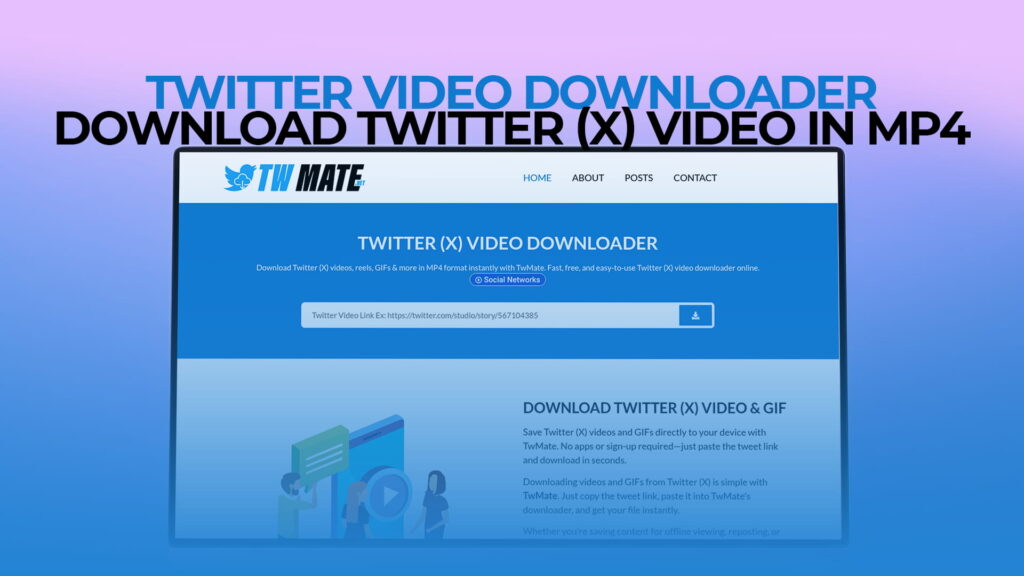
Twitter, now rebranded as X, is one of the most active social media platforms in the world. Every single day, millions of videos are posted on Twitter — from breaking news clips and sports highlights to funny memes, motivational speeches, and viral moments. These videos often disappear from your feed within hours, buried under an endless stream of new content.
What happens when you want to save a video to watch later, share it with a friend offline, or keep it for a project? Twitter does not give users a built-in option to download videos directly. That is a major problem for millions of users around the world who want to save content they love.
That is exactly where TWMate steps in.
TWMate is a powerful, free, and easy-to-use Twitter video downloader that allows anyone to download Twitter (X) videos, Reels, GIFs, and more — directly to their device in MP4 format — without needing to create an account or pay any fees. Whether you are using a phone, tablet, or desktop computer, TWMate makes the process effortless.
In this comprehensive guide, we will walk you through everything you need to know about downloading Twitter videos: why people do it, how TWMate works, its standout features, how to use it step by step, and much more. By the end, you will know exactly how to save any Twitter video with just a few clicks.
What Is TWMate?
TWMate is an online Twitter video downloading tool designed to solve one of the most common frustrations of social media users: the inability to save videos directly from Twitter (X). It is a web-based service, which means there is nothing to install. You simply visit the TWMate website, paste a Twitter video link, and download it — fast and free.
TWMate supports downloading:
- Twitter Videos — standard video posts from any public Twitter account
- Twitter Reels — short-form video content shared on X
- Twitter GIFs — animated GIFs posted as tweets
- HD and SD Video Formats — giving you the choice to save in the quality that suits your needs
The platform is built for everyday users. It does not require technical knowledge, paid subscriptions, or even an email address. Anyone with access to the internet can use TWMate right away.
Why People Download Twitter Videos
Before diving deeper into how TWMate works, it helps to understand why people download Twitter videos in the first place. There are many legitimate and practical reasons.
1. Offline Viewing
Not everyone has a reliable internet connection at all times. Travelers, students in areas with poor connectivity, and people with limited mobile data all benefit from downloading videos so they can watch them anytime, anywhere — without buffering or data consumption.
2. Saving Viral Content Before It Gets Deleted
Tweets get deleted. Accounts get suspended. Content disappears from the platform all the time. If a video goes viral and you want to keep a copy, downloading it is the only reliable way to make sure it stays with you.
3. Content Research and Education
Journalists, researchers, teachers, and content creators often need to reference videos they find on Twitter. Downloading allows them to archive, analyze, or use video content for academic, educational, or professional purposes.
4. Sharing Across Other Platforms
Sometimes you discover a great video on Twitter that you want to share with someone on WhatsApp, Telegram, Instagram, or via email. Since Twitter links do not always preview well on other platforms, having the MP4 file makes sharing much easier and more reliable.
5. Creating Compilations and Edits
Video editors and content creators frequently download clips from social media to use in compilations, mashups, reaction videos, or commentary pieces. Having the raw video file is essential for this kind of work.
6. Personal Memory and Archiving
People often post personal videos on Twitter — moments from events, celebrations, interviews, or important announcements. Downloading these allows people to create personal archives of meaningful content.
How TWMate Works: The Simple Science Behind It
TWMate works by accessing the publicly available video data embedded within a tweet. When you post a video on Twitter, the platform stores that video on its servers and links it to the tweet URL. TWMate reads that URL, identifies the embedded video file, and creates a direct download link for you.
Here is the key thing to understand: TWMate only works with public Twitter content. It cannot access videos from private or protected accounts. This is an important ethical and technical boundary.
The process happens in real time, usually within a few seconds. You do not need to wait in a queue, fill out forms, or navigate through complicated steps. TWMate is designed to be as straightforward as possible.
Step-by-Step Guide: How to Download Twitter Videos Using TWMate
Downloading a Twitter video with TWMate takes less than a minute. Here is exactly how to do it:
Step 1: Find the Twitter Video You Want to Download
Open Twitter (X) on your browser or app. Browse through your feed or search for specific content until you find the video you want to save.
Step 2: Copy the Tweet URL
On Twitter, click or tap the Share button on the tweet containing the video. From the share options, select Copy Link. This copies the full URL of that specific tweet to your clipboard. It will look something like this:
https://twitter.com/username/status/1234567890
Or the newer X format:
https://x.com/username/status/1234567890
Both formats work perfectly with TWMate.
Step 3: Open TWMate
Open a new browser tab and go to TWMate. The website has a clean, simple interface with a prominent search or input bar right at the top.
Step 4: Paste the Twitter Link
Click on the input box and paste the tweet URL you copied. You can do this by pressing Ctrl + V on a keyboard, or by long-pressing and selecting Paste on a touchscreen.
Step 5: Click the Download Button
After pasting the link, click the Download button. TWMate will process the link in seconds and fetch the available video formats.
Step 6: Choose Your Preferred Quality
TWMate will present you with download options, typically in multiple resolutions such as HD (high definition) and SD (standard definition). Choose the quality that best suits your needs and storage space.
Step 7: Save the Video to Your Device
Click the download option for your chosen quality. The video will begin downloading directly to your device, saved as an MP4 file. On mobile, it typically saves to your Downloads folder or Gallery.
That’s it! You now have the Twitter video saved on your device, ready to watch, share, or use however you like.
Key Features of TWMate
TWMate is packed with features that make it stand out from other Twitter video downloading tools. Let’s explore what makes it special.
✅ Completely Free
There are absolutely no charges involved. TWMate is 100% free to use for everyone. You do not need to buy a premium plan, subscribe to anything, or pay a one-time fee. All features are available to every user at no cost.
✅ No Registration Required
Many online tools ask you to create an account before you can use their services. TWMate skips all of that. There is no sign-up form, no email verification, and no password to remember. Just open the website and start downloading immediately.
✅ Supports Multiple Content Types
TWMate is not just a video downloader. It also supports:
- Twitter GIFs — save animated GIFs from tweets
- Twitter Reels — download short video content
- Twitter Videos — save any public video post
This makes TWMate a versatile all-in-one tool for saving Twitter content.
✅ Multiple Download Quality Options
Quality matters. TWMate gives you the flexibility to choose between different resolutions. If you want the best possible image quality, you can download in HD. If you are saving storage space or have a slow connection, SD is available too.
✅ Fast Download Speeds
TWMate is optimized for speed. Most downloads are processed and ready within seconds, making it one of the fastest Twitter video downloading tools available online.
✅ Works on All Devices
Whether you are using a Windows PC, Mac, iPhone, Android phone, or tablet, TWMate works seamlessly across all devices and operating systems. Since it is browser-based, there is nothing to install or update.
✅ No Watermarks
Unlike some other downloading tools that stamp a watermark on your downloaded files, TWMate delivers clean, original video files with no added branding or watermarks.
✅ User-Friendly Interface
TWMate has been designed with simplicity in mind. The layout is clean, the instructions are clear, and the process is intuitive. Even someone who has never used a downloading tool before will find it easy to navigate.
✅ Safe and Secure
TWMate does not ask for your Twitter credentials. It does not require access to your account. It simply processes a public tweet URL — making it completely safe to use. Your personal data is never at risk.
TWMate vs. Other Twitter Video Downloaders
There are many Twitter video downloaders available on the internet, but not all of them are equal. Here is how TWMate compares to the competition.
| Feature | TWMate | Other Tools |
|---|---|---|
| Free to Use | ✅ Yes | Some charge fees |
| No Registration | ✅ Yes | Many require sign-up |
| Supports GIFs & Reels | ✅ Yes | Often limited |
| HD Download Option | ✅ Yes | Not always available |
| No Watermark | ✅ Yes | Some add watermarks |
| Works on Mobile | ✅ Yes | Many are desktop-only |
| Fast Processing | ✅ Yes | Can be slow |
| Clean Interface | ✅ Yes | Often cluttered with ads |
As the table shows, TWMate consistently delivers across all the features that matter most to users.
Downloading Twitter GIFs with TWMate
GIFs on Twitter are a special category. While they look like looping animations in your feed, they are actually stored as video files (MP4) on Twitter’s servers rather than as traditional GIF files. This means they can be downloaded using the same process as regular Twitter videos.
Here is what to do:
- Find the tweet containing the GIF you want to save
- Copy the tweet URL
- Paste it into TWMate
- Click Download
- Save the file
TWMate will fetch the GIF as a video file, which you can then convert to a traditional GIF format using any free online tool if needed.
Downloading Twitter Reels with TWMate
Twitter (X) introduced short-form video content — similar to Instagram Reels or TikTok videos — to compete in the short video space. These Reels are full video files embedded in tweets, and they download just like any standard Twitter video using TWMate.
The process is identical:
- Open Twitter and find the Reel
- Copy the tweet link
- Go to TWMate
- Paste and download
There is no difference in the steps regardless of whether the content is a traditional video, a Reel, or a GIF. TWMate handles all of them seamlessly.
Is It Legal to Download Twitter Videos?
This is a question that comes up often, and it deserves a clear and honest answer. The legality of downloading Twitter videos depends on what you do with them.
Downloading for personal use — such as offline viewing, archiving, or watching on your own device — is generally considered acceptable and is widely practiced.
Important considerations:
- Copyright — Videos posted on Twitter are often protected by copyright. The original creator owns the content. Using downloaded videos for commercial purposes without permission from the creator can infringe on their rights.
- Twitter’s Terms of Service — Twitter’s terms do restrict the scraping and automated downloading of content. For personal, non-commercial use, most users download videos without issue.
- Respect the Creator — Always credit original creators when sharing downloaded content. Never repost someone else’s content as your own.
TWMate is a tool, and like all tools, the responsibility for how it is used lies with the user. Use it responsibly and ethically.
Tips for the Best Twitter Video Downloading Experience
To get the most out of TWMate, keep these practical tips in mind:
Always Copy the Full Tweet URL
Make sure you copy the direct link to the specific tweet, not just the URL of someone’s profile or a search result. The tweet URL always contains a numeric ID (like /status/1234567890).
Choose HD for Important Videos
If you are downloading a video for professional use, research, or a project, always choose the HD option. The quality difference is significant, especially on larger screens.
Check Your Storage Before Downloading
HD video files can be large. Before downloading multiple videos, check that you have enough storage available on your device.
Use a Stable Internet Connection
For the fastest and most reliable downloads, use a stable Wi-Fi connection rather than mobile data, especially for larger files.
Download Promptly
If you want to save a specific tweet video, do not wait too long. Tweets can be deleted at any time, and once they are gone, even TWMate cannot retrieve them.
How TWMate Helps Content Creators
Content creators across YouTube, Instagram, TikTok, and other platforms often use Twitter as a source of inspiration and raw material. TWMate gives creators a fast, reliable way to gather content.
Here are some common use cases for content creators:
- Reaction videos — Download a viral Twitter clip to react to it in a YouTube video
- News compilation videos — Gather multiple clips from Twitter to build a news roundup
- Educational content — Save expert interviews or insightful discussions posted on Twitter to reference in tutorials
- Meme and remix culture — Download popular clips to create new remixes, edits, or humorous content
TWMate makes the content gathering phase of the creative process much faster and easier, allowing creators to spend more time on what actually matters: creating great content.
TWMate on Mobile: Downloading Twitter Videos on iPhone and Android
Many Twitter users browse on their phones, and TWMate is fully optimized for mobile use. Here is how the mobile experience works:
On Android
- Open Twitter on your Android browser or app
- Find the video tweet and copy its link
- Open your mobile browser and go to TWMate
- Paste the link and tap Download
- Select your preferred quality
- The video will download to your Downloads folder
On Android, the process is smooth and fast. Most browsers handle the download automatically.
On iPhone (iOS)
Downloading files on iPhone requires a slightly different approach due to iOS restrictions:
- Copy the tweet link from Twitter
- Open Safari (or Chrome) and go to TWMate
- Paste the link and tap Download
- When the download options appear, long-press the download button
- Select Download Linked File to save the video
- The file will be saved to your Files app under Downloads
On iPhone, some users also use a browser app that has a built-in download manager, which makes the process even smoother. Alternatively, you can save the video directly to your photo library using the share option once downloaded.
Why TWMate Is the Best Choice for Twitter Video Downloads
With dozens of Twitter video downloaders on the internet, it can be hard to know which one to trust. TWMate earns its reputation through a combination of simplicity, reliability, and genuine respect for users.
It does not bombard you with pop-up ads. It does not trick you into downloading suspicious software. It does not ask for personal information. It just does exactly what it promises: quickly and cleanly downloads Twitter videos for free.
For users who value speed, simplicity, and safety, TWMate is the clear first choice.
The Future of Twitter (X) and Video Content
Twitter’s transformation into X under Elon Musk has brought many changes to the platform, including a greater emphasis on video content, longer video uploads for premium subscribers, and features that make X increasingly competitive with YouTube and TikTok.
As video becomes even more central to the X experience, the need for reliable video downloading tools will only grow. TWMate is positioned to remain an essential companion tool for millions of X users worldwide, keeping pace with the platform’s evolution.
Whether Twitter remains Twitter or fully transforms into something new, the need to save, share, and archive great video content will never go away — and TWMate will be there to help.
Conclusion: Your Go-To Twitter Video Downloader
Twitter (X) is home to some of the most compelling, informative, and entertaining video content on the internet. The platform’s native inability to let users download videos has long been a frustration — but TWMate completely solves that problem.
With TWMate, you get a free, fast, safe, and registration-free solution for downloading Twitter videos, GIFs, and Reels in MP4 format on any device. Whether you are a casual user who wants to save a funny clip, a journalist archiving important footage, a researcher collecting data, or a content creator building a library of reference material, TWMate is the tool you need.
The process is simple. The results are instant. The service is free. There is no better option available for Twitter video downloading today.