
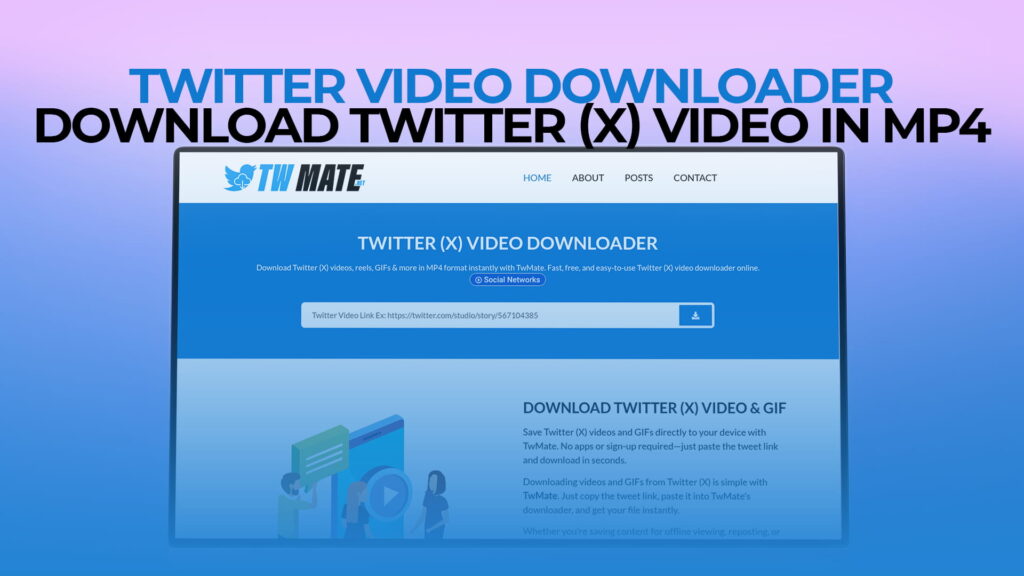
Social media moves fast. Every single day, millions of videos are posted on Twitter — now officially called X — covering everything from breaking news and sports highlights to funny moments, motivational clips, educational content, and viral trends. You scroll through your feed, find a video you love, and you want to keep it. Maybe you want to watch it later without an internet connection. Maybe you want to share it on another platform. Maybe you just want to save it before it disappears.
But here is the problem. Twitter does not give you a built-in download button for videos. The platform lets you watch, like, repost, and share — but saving a video directly to your device? That is not something Twitter officially supports. And that gap between what people want to do and what the platform allows is exactly why Twitter video downloaders exist.
If you have ever found yourself searching for a way to save a Twitter video, you are in the right place. This guide covers everything you need to know — how Twitter video downloading works, why people do it, what to look for in a good downloader, and why TWMate has become one of the most trusted free tools for downloading Twitter videos, Reels, and GIFs in MP4 format, with no registration required.
Why People Want to Download Twitter Videos
Before we dive into the how, it is worth understanding the why. Why do so many people want to download videos from Twitter in the first place?
The most common reason is offline viewing. Not everyone has access to a reliable internet connection at all times. Students commuting to school, travelers in areas with poor signal, people in regions with limited or expensive mobile data — all of these users benefit enormously from being able to save a video and watch it later without needing to be online. Once a video is saved to your device, it plays instantly, without buffering, without ads interrupting it, and without depending on anyone else’s server.
Another very common reason is content preservation. Twitter is a dynamic platform where content can disappear quickly. Accounts get suspended, tweets get deleted, and videos vanish. If a video matters to you — whether it is a news clip, a speech, a creative piece, or something personally meaningful — downloading it gives you a copy you can keep permanently, regardless of what happens to the original tweet.
Sharing across platforms is another major driver. Many people consume content on Twitter but want to share it on WhatsApp, Telegram, Instagram, or other platforms. Downloading the video gives you a local file that you can share anywhere, without needing to link back to Twitter.
Content creators and researchers use Twitter video downloads for reference, inspiration, and analysis. Journalists save video evidence for reporting. Educators save clips they want to use in lessons. Designers and marketers save visual content they want to study or reference in their work.
And sometimes the reason is simply personal. Someone posted a video that made you laugh so hard you want to watch it again and again. A friend shared a clip you want to keep as a memory. A motivational speech resonated so deeply you want it saved on your phone. These are completely valid reasons, and TWMate makes all of them possible.
The Challenge of Downloading Twitter Videos Without a Tool
If you have ever tried to save a Twitter video without a dedicated tool, you already know how frustrating it can be. Right-clicking on a video in a browser does not give you a save option — unlike images, video files on Twitter are not directly accessible through a simple right-click menu.
The videos on Twitter are hosted on Twitter’s own servers and streamed through their media delivery system. They are not stored as simple, accessible video files with a direct download link that any browser can grab. Instead, they are served through a more complex technical system that requires understanding how Twitter’s media URLs are structured.
Some people try to work around this by using browser developer tools to find the video stream URL manually. This works in theory, but it requires technical knowledge that most people do not have, it is time-consuming, and it is not a practical solution for everyday use.
Others look for browser extensions, but these come with their own set of concerns — many extensions request broad permissions to access your browsing data, and some have been found to carry security risks or privacy issues.
The cleanest, simplest, and most widely used solution is a browser-based online downloader like TWMate. You go to the website, paste the video URL, and download. No technical knowledge required, no extensions to install, no privacy risks from granting an application broad access to your browser.
What Is TWMate?
TWMate is a free online Twitter video downloader that lets you save videos, Reels, and GIFs from Twitter directly to your device in MP4 format. It works entirely through your web browser, which means you do not need to install any software or application. There is no registration required — you do not need to create an account, enter an email address, or provide any personal information. You simply visit TWMate, paste the link of the Twitter video you want to download, and save it to your device.
The platform is designed to be fast, straightforward, and accessible to everyone. Whether you are using a Windows computer, a Mac, an Android phone, or an iPhone, TWMate works on your device without any setup.
The fact that no registration is required is a significant practical advantage. Many tools on the internet require you to sign up before you can use their core features, which adds friction and, more importantly, collects your personal data. TWMate skips all of that. You arrive, you download your video, and you leave. It is as simple as that.
What Can You Download with TWMate?
TWMate is not limited to standard Twitter videos. It supports a range of media types that you might encounter while browsing the platform.
Regular Twitter videos are the most obvious category. These are the videos that users post directly to their tweets — clips, recordings, highlights, announcements, and everything else that people share in video format on the platform. TWMate downloads these cleanly and saves them in MP4 format, which is the most compatible video format for playback on virtually every device.
Twitter Reels are short-form video content that has become increasingly popular as Twitter has evolved. Similar in concept to Reels on Instagram or Shorts on YouTube, these are brief, punchy videos designed for quick consumption. TWMate supports downloading Twitter Reels just as easily as standard videos.
GIFs on Twitter are a special case worth mentioning. While they appear as looping animations in your Twitter feed — similar to GIF images — they are actually served as short video files rather than traditional GIF files. This is a technical detail that matters for downloading purposes. TWMate handles this correctly, giving you a downloadable file that preserves the looping animation you saw in the tweet.
This range of supported media types means that whatever kind of video content you come across on Twitter, TWMate has you covered.
How to Download a Twitter Video Using TWMate
One of the best things about TWMate is how simple the process is. Even if you have never downloaded a video from social media before, you will find this straightforward from the very first attempt. Here is how it works, step by step.
The first thing you need to do is find the Twitter video you want to download. Open Twitter — either in a browser or in the Twitter app on your phone — and find the tweet containing the video you want to save.
Once you have found the tweet, you need to copy the link to that tweet. On a desktop browser, you can do this by clicking on the tweet to open it, then copying the URL from your browser’s address bar. In the Twitter mobile app, you tap the share button on the tweet — the one that looks like an upload icon — and then tap the option that says something like “Copy link to Tweet.” This copies the tweet’s URL to your clipboard.
Now open a new browser tab and go to TWMate. You will see a text field on the page where you can paste the tweet URL. Tap or click the field, paste the URL you copied, and then hit the download or convert button.
TWMate processes the link and retrieves the video. Within a few seconds, you will be presented with download options. Depending on the video, you may see multiple quality options — for example, a higher resolution version and a lower resolution version. You choose the quality you prefer and click the corresponding download button.
The video then downloads to your device. On a computer, it typically goes to your Downloads folder unless you have specified a different location. On a phone, it usually saves to your Gallery or Downloads folder, depending on your device and browser settings.
That is the entire process. Copy the link, paste it into TWMate, choose your quality, download. Most people complete their first download within a minute of arriving at the site.
Downloading Twitter Videos on Mobile Devices
Many people browse Twitter primarily on their phones, which means mobile downloading is just as important as desktop downloading — if not more so. TWMate works well on mobile devices, but the process has a couple of small differences worth knowing about.
On Android phones, the process is very similar to desktop. You copy the tweet link from the Twitter app, open your mobile browser, go to TWMate, paste the link, and download. The video typically saves to your Downloads folder or your Gallery, where you can access it from your phone’s file manager or photo library.
On iPhones, things are slightly more involved due to how iOS handles file downloads in browsers. When you tap the download button on TWMate in an iPhone browser, you may be prompted to open the video in a new tab rather than saving it directly. To save it to your Camera Roll, you would then hold down on the video and select the option to save it to your device. Alternatively, using a download manager app alongside your browser can make this smoother. Some iPhone users find that using Safari specifically gives the most straightforward experience, as Safari on iOS has built-in support for downloading files to the Files app.
It is worth noting that mobile browsers vary in how they handle downloads, so the exact experience might differ slightly depending on whether you use Chrome, Firefox, Safari, or another browser on your phone. The process with TWMate is as smooth as any browser-based downloader can be on mobile, which is genuinely one of the cleaner mobile downloading experiences available.
Video Quality Options: Understanding Your Choices
When you use TWMate to download a Twitter video, you will often be presented with multiple quality options. Understanding what these mean helps you choose the right one for your needs.
Higher quality options, often labeled with a higher resolution like 1280×720 or 1920×1080, give you a sharper, cleaner video. These are ideal when you want the best possible viewing experience, plan to watch the video on a large screen, or want to preserve maximum detail for reference or archival purposes. The trade-off is that higher quality means larger file sizes, which uses more storage space on your device.
Lower quality options, with smaller resolutions, produce smaller file sizes. These are useful when you have limited storage space, want a version of the video that is easy to share quickly over messaging apps, or are downloading on a slow connection and want the download to complete faster.
For most casual uses — watching on a phone, sharing on WhatsApp, or keeping for personal viewing — a medium quality option strikes the best balance. For anything where visual quality matters, such as using a clip for a project or watching on a TV or large monitor, always go for the highest quality available.
Why MP4 Is the Right Format for Downloaded Videos
TWMate delivers downloaded Twitter videos in MP4 format, and this is genuinely the best choice for a general-purpose video downloader. Here is why MP4 is so widely preferred.
MP4 is the most universally compatible video format in the world. It plays on Windows, Mac, Linux, Android, iOS, smart TVs, gaming consoles, and virtually every media player application. When you save a video as MP4, you almost never have to worry about whether it will play on a given device — it just works.
MP4 also strikes an excellent balance between file size and video quality. It uses efficient compression that keeps files manageable without sacrificing visual clarity. A two-minute video in MP4 format at reasonable quality is typically a fraction of the size it would be in an uncompressed format, making it easy to store and share.
For editing purposes, MP4 is also widely supported by video editing software. If you ever want to use a downloaded Twitter clip in a video project, an MP4 file will be compatible with virtually any editing application, from simple mobile editing apps to professional desktop software.
Getting your downloaded Twitter videos in MP4 format through TWMate means they are immediately ready to use, share, or store without any additional conversion steps.
Privacy, Safety, and What to Look for in a Downloader
When using any online tool, particularly one that processes URLs you provide, it is reasonable to think about privacy and safety. Here are some things worth knowing when evaluating Twitter video downloaders in general, and TWMate specifically.
A trustworthy downloader does not require you to log in with your Twitter account. If a tool asks for your Twitter credentials, close it immediately. Legitimate video downloaders work with public tweet URLs only — they do not need access to your account.
A good downloader also does not require you to install software you do not trust. Browser-based tools like TWMate are inherently safer in this respect because you are simply visiting a website, not installing an application with access to your system.
No registration is required with TWMate. You do not hand over an email address, create a password, or submit any personal information. This means there is no account to be hacked, no mailing list to be added to, and no profile being built about your usage.
In terms of the content itself, it is always worth being thoughtful about what you download and how you use it. Twitter videos belong to their creators, and while saving a video for personal viewing is generally considered fair and reasonable use, redistributing someone else’s video commercially or presenting it as your own content raises ethical and sometimes legal issues. Using downloaded content responsibly — for personal use, education, journalism, or other legitimate purposes — is the right approach.
Comparing TWMate to Other Download Methods
There are several ways people try to download Twitter videos, and it is worth understanding how TWMate compares to the alternatives.
Browser extensions are one option. Extensions that add a download button to Twitter can be convenient, but they often require broad permissions to function — they may be able to read data from every website you visit, which is a significant privacy consideration. Some extensions have also been found to inject ads or track browsing behavior. TWMate requires no extension and asks for no permissions.
Screen recording is another approach some people use. You play the video on your screen and record it using your device’s screen recorder. This is simple and always available, but the quality is noticeably lower because you are capturing a compressed video stream through another layer of compression. You also capture any interface elements visible on screen unless you are careful. TWMate gives you the actual video file at its full original quality.
Developer tools in the browser can technically be used to find video stream URLs, but this requires comfort with browser DevTools, knowledge of media URL structures, and patience. It is not practical for regular use. TWMate makes the same result available to anyone in seconds.
Other online downloaders exist too, but many are cluttered with intrusive ads, require registration, have file size limits, or produce unreliable results. TWMate is consistently noted for being clean, fast, and dependable.
Use Cases That Make TWMate Valuable
To bring this all together in a practical way, here are some real-world scenarios where TWMate genuinely comes in useful.
You are a sports fan watching a game and someone posts a highlight clip on Twitter before it is available anywhere else. You want to save it before the account takes it down or the moment gets buried. TWMate lets you save it instantly.
You are a student doing research and you find a relevant video clip — a speech, a documentary excerpt, an interview — posted on Twitter. You want to reference it in your work and need a local copy. TWMate gives you that copy in seconds.
You are a content creator or marketer and you want to study how certain types of video perform on Twitter. You download examples using TWMate so you can analyze them at your leisure without needing to maintain a Twitter feed open.
You are traveling internationally and want to load up your phone with videos to watch on a long flight without Wi-Fi. TWMate lets you save Twitter videos in advance for offline viewing.
You saw a funny or heartwarming video that you want to share with a family member or friend who is not on Twitter. Downloading it with TWMate and sending it directly is far easier than trying to share a tweet with someone who does not use the platform.
You are a journalist or researcher and you need to archive video evidence from a tweet that might be deleted. TWMate gives you a local copy you can preserve.
Tips for a Smooth Downloading Experience
A few practical tips will help you get the best experience every time you use TWMate.
Make sure you are copying the link to the specific tweet, not just the link to a user’s profile or timeline. The URL should lead directly to the individual tweet containing the video. On desktop, this typically looks like twitter.com/username/status/numbers. In the mobile app, use the share button and copy the link from there.
If a download does not start immediately after you click the download button, check your browser’s download settings. Some browsers ask for confirmation before saving files, and some have pop-up blockers that might interfere with the download prompt. Allowing downloads from TWMate in your browser settings resolves this immediately.
If you are on a mobile device and the video opens in a new tab instead of downloading, try holding down on the video once it is playing and looking for a save option in the context menu. On iOS specifically, the process varies slightly depending on which browser you use.
For the best video quality, always choose the highest resolution option available unless you have a specific reason to prefer a smaller file size.
Yes, TWMate is completely free. There are no hidden charges, no premium tiers, and no subscription fees. You can use it as many times as you want without paying anything. The service is available to everyone at no cost, which is one of the main reasons it has become such a popular choice for downloading Twitter videos.
No registration is required at all. You do not need to create an account, provide an email address, or submit any personal information. You simply visit TWMate, paste the link to the Twitter video you want to download, and save it directly to your device. The entire process is anonymous and requires no sign-up of any kind.
TWMate supports downloading regular Twitter videos, Twitter Reels, and GIFs. Whether the content is a standard video clip posted in a tweet, a short-form Reel, or a looping GIF animation, TWMate can retrieve it and give you a downloadable file. Videos are saved in MP4 format, which is compatible with virtually every device and media player available.
Yes, TWMate works on mobile devices including both Android phones and iPhones. You do not need to install any app — simply open your mobile browser, visit TWMate, paste the tweet link, and download. On Android, the process is very smooth. On iPhone, the experience may vary slightly depending on which browser you use, but the process is straightforward once you know the steps.
TWMate is a browser-based tool that requires no software installation and no account creation. It does not ask for your Twitter login credentials or any personal information. As with any online tool, it is good practice to use it on a secure connection and to be mindful of your browser’s download settings. For personal, non-commercial use of publicly posted content, TWMate offers a clean and safe downloading experience without the privacy risks associated with browser extensions or third-party applications.
Final Thoughts
Twitter is one of the most active video-sharing platforms in the world, even if that is not how most people think of it. Every day, an enormous amount of valuable, entertaining, educational, and meaningful video content is posted and consumed on the platform. The fact that Twitter does not provide a native download option is a genuine gap — and TWMate fills that gap cleanly, completely, and for free.
Whether you want to save a clip for offline viewing, preserve content before it disappears, share a video across other platforms, or keep something meaningful on your device permanently, TWMate gives you a fast and simple way to do it. No registration, no software installation, no cost. Just paste the link, choose your quality, and download.
Visit TWMate today and start saving the Twitter videos that matter to you.