
Twitter — now officially rebranded as X — is one of the fastest-moving platforms on the internet. Videos go viral in hours. Clips from live events are spread before television networks even finish broadcasting. GIFs that perfectly capture a cultural moment circulate millions of times in a single day. And then, just as quickly as they appeared, they are gone. Buried under the next wave of content, deleted by the original poster, or hidden behind an account that went private.
If you have ever tried to save a video directly from Twitter, you already know the problem. The platform does not give you any built-in download option. There is no “Save Video” button on a tweet. There is no camera roll option, no download link, no way to take that content off the platform and onto your own device using Twitter’s own tools.
For casual scrollers, this is mildly frustrating. For anyone who needs to save content regularly — researchers, journalists, content creators, educators, social media professionals, or just people who come across things they genuinely want to keep — it is a real daily obstacle.
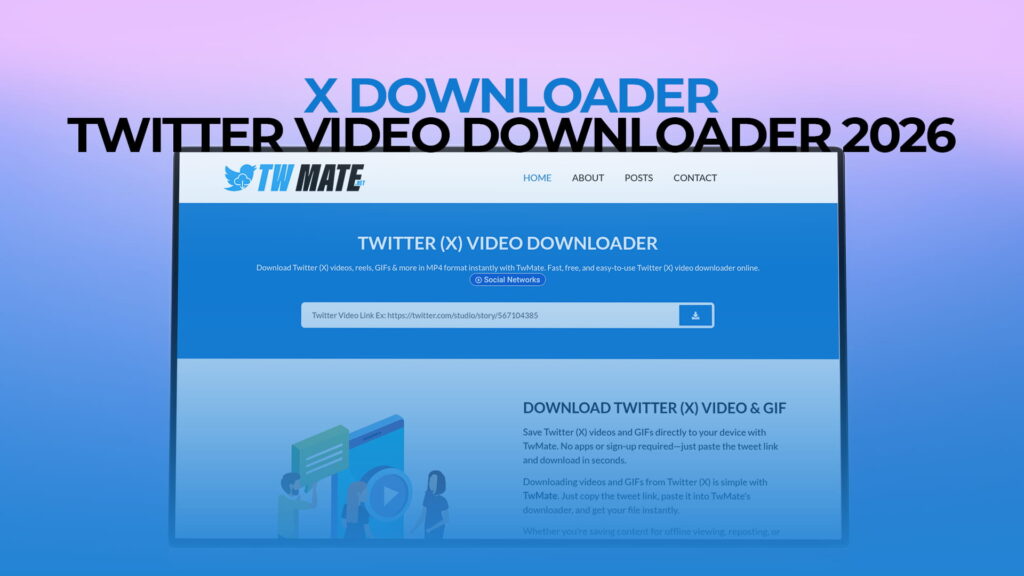
TWMate is built specifically to remove that obstacle. It is a free online tool that lets you download Twitter (X) videos, Reels, and GIFs directly to your device, without any watermark, without creating an account, and without installing any software. This article covers the full picture — what TWMate does, how it works, why it matters, and everything you should know about downloading Twitter content effectively.
Why Twitter Does Not Let You Save Videos Natively
Twitter has been around since 2006, and through all the changes the platform has gone through — including its rebranding to X — one thing has remained remarkably consistent: the lack of a native download feature.
This is not accidental. Like most social media platforms, Twitter’s business depends on keeping users engaged inside the platform itself. Every time you come back to rewatch a video, you are back on Twitter. You are seeing promoted tweets. You are clicking on other content. You are generating engagement data that the platform uses to refine advertising targeting.
If you could download a video and watch it anywhere, you would have less reason to return. That is a meaningful threat to a platform that monetizes through advertising and on-platform engagement.
There is also the question of content rights. Twitter hosts an enormous volume of content created by people who have not necessarily thought carefully about where their content might end up. By not providing an easy download mechanism, the platform maintains some soft control over how far content travels beyond the platform itself.
But this reasoning, however logical from Twitter’s perspective, leaves users in a frustrating position. Publicly posted videos are visible to everyone. They spread across the internet through screenshots, embeds, and shared links. The idea that they are somehow protected by the absence of a download button is more illusion than reality. What the lack of a download feature actually does is inconvenience legitimate users — journalists capturing evidence, researchers documenting public discourse, educators saving clips for teaching purposes, and ordinary people who simply want to keep something they found meaningful.
TWMate fills this gap simply and effectively.
What a Watermark Actually Is — And Why It Matters That TWMate Does Not Add One
If you have looked for Twitter download tools before, you have almost certainly encountered the watermark issue. It is one of the most common complaints about free download tools in this space.
A watermark, in this context, is a logo, text, or brand identifier that a download tool stamps onto your downloaded video or image. You request a clean download, but what you receive has the tool’s name or logo superimposed on the content. Sometimes it sits quietly in a corner. Sometimes it covers a significant portion of the screen. Sometimes it appears as an intro or outro attached to the video.
The reason tools do this is purely promotional. When you share a watermarked video, the tool’s branding goes with it. Every share becomes a free advertisement. The tool grows its brand at the expense of your user experience.
The practical consequences are real. A video with a third-party watermark on it looks amateurish if you use it for any professional purpose. A GIF with a logo stamped on it loses the clean simplicity that made it worth saving in the first place. Content that you wanted to use for a presentation, an article, a report, or simply to send to a friend arrives degraded and branded in a way that serves no one except the tool provider.
TWMate does not add watermarks. When you download a Twitter video through TWMate, you receive the video exactly as it was posted — no added logos, no overlaid text, no branding from TWMate or anyone else. The content is yours, clean and original, exactly as it appeared on the platform.
This is not a minor feature. It is the fundamental difference between a tool that actually helps you and one that uses you for marketing while pretending to help.
Every Type of Twitter (X) Content TWMate Downloads
Twitter’s content ecosystem has evolved significantly over the years, and TWMate is built to handle the full range of what you are likely to encounter there.
Twitter Videos
Video content has become central to Twitter’s experience. News clips, sports highlights, comedy sketches, personal vlogs, documentary footage, political speeches, product announcements, and countless other video types are posted to Twitter every day. Standard Twitter videos — posted directly in tweets — are the most commonly downloaded content type, and TWMate handles them at the best available quality.
Twitter Reels and Short-Form Video
As Twitter/X has evolved its video features and content formats, short-form vertical video content has become more prominent on the platform. TWMate handles these just as smoothly as standard video posts, giving you a clean download of the full video without any modification to the content.
Twitter GIFs
GIFs on Twitter are technically a specific type of video file — they look like animated GIFs but are served as video files for better quality and loading performance. They are a distinct category of content on the platform, used for reactions, humor, cultural references, and quick visual communication. TWMate downloads Twitter GIFs correctly, preserving the animation and quality of the original file.
The breadth of content types supported means that whatever you encounter on Twitter that you want to save — whether it is a long-form video, a short clip, or a GIF — TWMate handles it consistently.
How to Download Twitter Content Using TWMate
The process is designed to be fast and straightforward. Here is exactly how it works from start to finish.
Start on Twitter. Find the tweet that contains the video or GIF you want to download. Whether you are on the Twitter app on your phone or using Twitter in a desktop browser, the process starts in the same place.
Get the link to the tweet. On mobile, tap the share icon on the tweet — it looks like an upward arrow — and select “Copy Link.” The URL for that specific tweet is now copied to your clipboard. On desktop, you can right-click on the timestamp of the tweet (which shows when it was posted) and copy the link from there, or copy the URL directly from your browser’s address bar when viewing the tweet on its own page.
Open TWMate in your browser. You do not need to close the Twitter app to do this — you can open TWMate in a new tab or switch to a browser app. TWMate works in any browser on any device. No installation, no account creation, no setup of any kind.
Paste the tweet URL into the input field on TWMate’s interface and initiate the download. TWMate retrieves the content associated with that tweet and presents you with the download option. For video content, you will often have a choice of quality levels — standard definition, high definition, or the highest quality available for that specific video.
Select your preferred quality and download the file. On a phone, the file will save to your device’s storage — typically the Downloads folder or, depending on your device settings and file type, directly to your photo gallery. On a desktop, it saves to your designated downloads location.
From the moment you copy the tweet link to having the file on your device, the whole process typically takes under sixty seconds. After doing it a couple of times, it becomes completely automatic.
The Quality of Downloaded Twitter Content
Understanding what you are actually getting in terms of quality helps you set the right expectations and make the right choices when downloading.
Twitter processes and compresses all video content that is uploaded to it. A video that was originally shot in 4K will be compressed and transcoded by Twitter before it is served to users. The platform serves video at different quality levels depending on connection speed, device type, and other factors — but the best available quality is typically around 720p or 1080p for standard video posts.
When TWMate retrieves content from Twitter, it makes available the highest quality version that Twitter offers for that specific piece of content. You are not getting a further-degraded copy or a low-resolution version. You are getting the best that Twitter has available for that video.
For GIFs, the quality is similarly faithful to the original — the animation and visual quality of the downloaded file matches what you see when it plays on Twitter.
For most practical uses — watching on a phone or tablet, sharing with colleagues or friends, using as reference material, incorporating into presentations or documents — the quality of content downloaded through TWMate is entirely adequate and often excellent.
Why People Download Twitter Videos and GIFs
The reasons people want to save Twitter content are varied and almost always entirely reasonable. A quick look at the actual motivations involved makes clear that this is a mainstream need, not a niche one.
Preservation Before Deletion
Twitter content can disappear without warning. Accounts get suspended, deactivated, or made private. Users delete tweets — sometimes immediately after posting, sometimes days or weeks later. Content that documents a significant moment, contains information you wanted to reference, or simply meant something to you personally can be gone with no notice. Downloading creates a copy you control.
Offline Access
Not everyone has reliable internet access everywhere they go. Frequent travelers, people with limited mobile data plans, commuters in areas with poor connectivity, and people in countries with expensive data costs all benefit from having downloaded content they can access without a connection.
Research and Documentation
Journalists, academics, lawyers, investigators, and researchers regularly need to capture public social media content as documentation. A tweet containing a public statement, a video documenting a public event, or a GIF used in a public communication can all have evidentiary or research value. Having a downloaded copy provides stable documentation that cannot be altered by subsequent deletions.
Content Creation and Collaboration
Content creators, editors, and social media managers often need to work with video material from social platforms. When content is posted publicly and there is authorization to use it — because the creator gave permission, because it involves your own brand’s content, or because it was created collaboratively — having a clean, watermark-free copy is essential for professional work.
Learning and Reference
Tutorial content, expert commentary, demonstration videos, and educational threads on Twitter contain real knowledge that people want to revisit. Downloading a how-to video or an explanatory clip means you can reference it later without needing to find the original tweet again.
Sharing Across Platforms
Video that goes viral on Twitter often gets shared to other platforms — WhatsApp groups, Telegram channels, Discord servers, personal text messages. People who want to share a video in those contexts need to have the file. TWMate makes that process straightforward.
TWMate on Different Devices — What to Expect
One of TWMate’s core design principles is device-agnostic accessibility. The tool works the same way regardless of what you are using to access it.
On Android devices, downloading through a mobile browser is clean and straightforward. Files save to your device storage, and videos are accessible through your gallery or file manager. Android’s open file handling makes the process particularly smooth.
On iPhones and iPads, the iOS approach to file management means downloads sometimes require an extra step to save to your Photos app, but the process is well-documented and straightforward once you have done it once. Most iOS browsers will prompt you with an option to save to Files or Photos when a download completes.
On Windows computers, downloaded files go to your browser’s default download location — usually the Downloads folder. The files are immediately accessible and usable in any media player or video editing application.
On Mac computers, the process is identical to Windows in terms of simplicity. Files download to wherever your browser saves downloads, and they play in any compatible application.
The browser-based approach means you are not locked into any specific device or operating system. TWMate is available everywhere you have internet access and a browser, which in 2025 means essentially everywhere.
Why a Browser Tool Beats a Downloadable App for This Purpose
When users first look for a solution to downloading Twitter content, many instinctively look for an app. The expectation is that an app will be more capable, more polished, or more convenient. In practice, a browser-based tool like TWMate has meaningful advantages over a dedicated app for this specific task.
No permissions are required. Apps frequently request access to device features that have nothing to do with their stated purpose — your camera, microphone, contacts, location. A browser-based tool does not install on your device and does not request any permissions.
No storage is consumed. Apps take up space on your device. A browser tool uses none.
No updates are needed. Apps go out of date and require updates. Browser tools update seamlessly on the server side without any action from you.
No platform restrictions apply. Apps exist in app stores that can remove them, restrict them, or require them to comply with platform policies that limit functionality. A browser tool operates independently of app store restrictions.
No background processes run. Apps can run background services that use battery and data even when you are not actively using them. A browser tool does nothing when you are not using it.
TWMate is built as a browser tool because this approach genuinely serves users better for this type of task. The tool is there when you need it and completely absent when you do not.
Responsible Use of Downloaded Twitter Content
Downloading content and using that content responsibly are two separate considerations, and both matter.
Twitter’s public content is visible to everyone by definition. Videos, GIFs, and posts made on public accounts can be seen by anyone on the internet without logging in. Downloading that content for personal use — keeping a video you found valuable, saving a GIF for personal reference, archiving something you want to revisit — falls squarely in the category of reasonable personal use.
Reposting or publicly sharing someone else’s content is a different matter. If you plan to re-upload a video to your own channels, use content in a commercial project, or incorporate someone’s work into a production, the right approach is to contact the original creator and ask for permission. Most creators are willing to grant it, especially when you are clearly supportive of their work.
For news and journalism purposes, the standards around fair use and public interest create more latitude for using downloaded content, but those standards vary by jurisdiction and context.
The tool that enables the download is separate from the responsibility around how that download is used. TWMate provides access to publicly posted content. Using that access thoughtfully and respectfully is your responsibility as the user.
Getting the Most Out of TWMate
A few practical habits make the experience of using TWMate more effective over time.
Download important content promptly. Twitter content can disappear at any time — accounts get deactivated, tweets get deleted, content gets removed. If you see something you want to keep, saving it sooner is always better than waiting.
Choose the right quality for your purpose. TWMate often offers multiple quality options for videos. If you are saving a video for casual viewing on your phone, a standard-quality download is smaller and downloads faster. If you need the best quality for professional use or for viewing on a large screen, choose the highest available option.
Organize downloads as you go. Creating a simple folder structure on your device — by topic, date, or content type — as you build a library of downloaded content prevents the chaos of hundreds of unnamed files that becomes unmanageable over time.
Keep TWMate bookmarked. If you download Twitter content regularly, having TWMate bookmarked in your browser means the tool is accessible the moment you need it, without searching for it each time.
Downloading publicly posted Twitter videos for personal use is generally accepted practice in most jurisdictions and falls within a broad understanding of personal use rights. Public content on Twitter is accessible to everyone who visits the platform, and saving a copy for your own offline viewing is similar in principle to recording a television broadcast for personal viewing. However, using downloaded content commercially, re-uploading it to other platforms without attribution or permission, or incorporating it into monetized content without authorization can infringe on the intellectual property rights of the original creator. The practical rule of thumb is: downloading for personal use is fine; publicly distributing or commercially exploiting someone else’s content is not. For specific legal questions relevant to your jurisdiction or use case, consulting a legal professional is always the most reliable course of action.
Twitter does not provide a native video download feature in its app or website, and this is a deliberate design decision rather than a technical limitation. The platform benefits from keeping users returning to the app to watch content, which supports advertising revenue and engagement metrics. Providing a download button would reduce those return visits. Additionally, Twitter does not want to be seen as facilitating the distribution of content beyond what creators may intend when they post publicly. As a result, third-party tools like TWMate exist to fill the gap between what the platform offers and what users actually need. These tools work by accessing publicly available content through the same mechanisms that the platform itself uses to serve that content to browsers.
Yes, TWMate works on both iPhone and Android devices, as well as on desktop computers running Windows, macOS, or Linux. Because TWMate is a browser-based tool rather than a downloaded app, it works on any device that has a modern browser and an internet connection. On Android, downloads typically save directly to your downloads folder or gallery with minimal steps. On iPhone and iPad, the iOS file system handles downloads slightly differently, and you may be prompted to save to Files or Photos when the download completes — a one-step process that becomes quick after you have done it once. No app installation is required on any device.
The best quality available when downloading Twitter videos through TWMate is determined by what Twitter itself makes available for that specific video — TWMate retrieves the highest quality version Twitter serves. For most videos, this is typically 720p or 1080p depending on how the original video was uploaded and how Twitter processed it. Some older videos or those uploaded at lower resolutions will be available only at lower qualities. TWMate presents the available quality options when you initiate a download, allowing you to choose the best option for your needs. For casual mobile viewing, standard quality is usually sufficient. For professional use or viewing on larger screens, choosing the highest available quality gives you the best result.
TWMate is a browser-based tool that does not require installation, does not request device permissions, and does not require you to create an account or provide personal information for standard use. Browser-based tools of this type are generally safe to use because they do not install software on your device and do not have access to your personal data. The key safety consideration with any online tool is using tools from sources you trust and avoiding tools that ask for unnecessary permissions or redirect you to unexpected pages. TWMate is focused on its specific purpose — downloading Twitter content — and does not engage in data collection beyond what is necessary for the tool to function. As with any web tool, basic digital hygiene practices — keeping your browser updated, not sharing personal information unnecessarily, and avoiding unfamiliar sites that appear alongside search results — are always good habits to maintain.
Final Thoughts
Twitter (X) moves fast. Content that is everywhere one day can be genuinely impossible to find the next. The platform’s design — built around real-time feeds and chronological scroll — is not designed to help you hold onto content. It is designed to keep you moving forward to the next thing.
TWMate gives you a way to pause that flow and keep what matters. Videos that teach you something. GIFs that make you laugh. Clips that document things you want to remember. Content that would otherwise be buried, lost, or deleted before you have a chance to save it.
The tool is free. There is no registration, no watermark, and no installation required. It works on every device in any browser. You copy a link, paste it into TWMate, and have a clean download in less than a minute.
Visit TWMate and try it now. Whatever you have been seeing on Twitter that you wished you could keep — now you can.